Quick answer: accuracy is not the same as price
A free Kundli app can be every bit as accurate as a paid one, because the maths that produces a birth chart is not what you pay for. What you pay for is consultation, prettier reports, and premium interpretation. The calculation itself — where the planets sat at the moment you were born — comes from published astronomical data that any serious app can access.
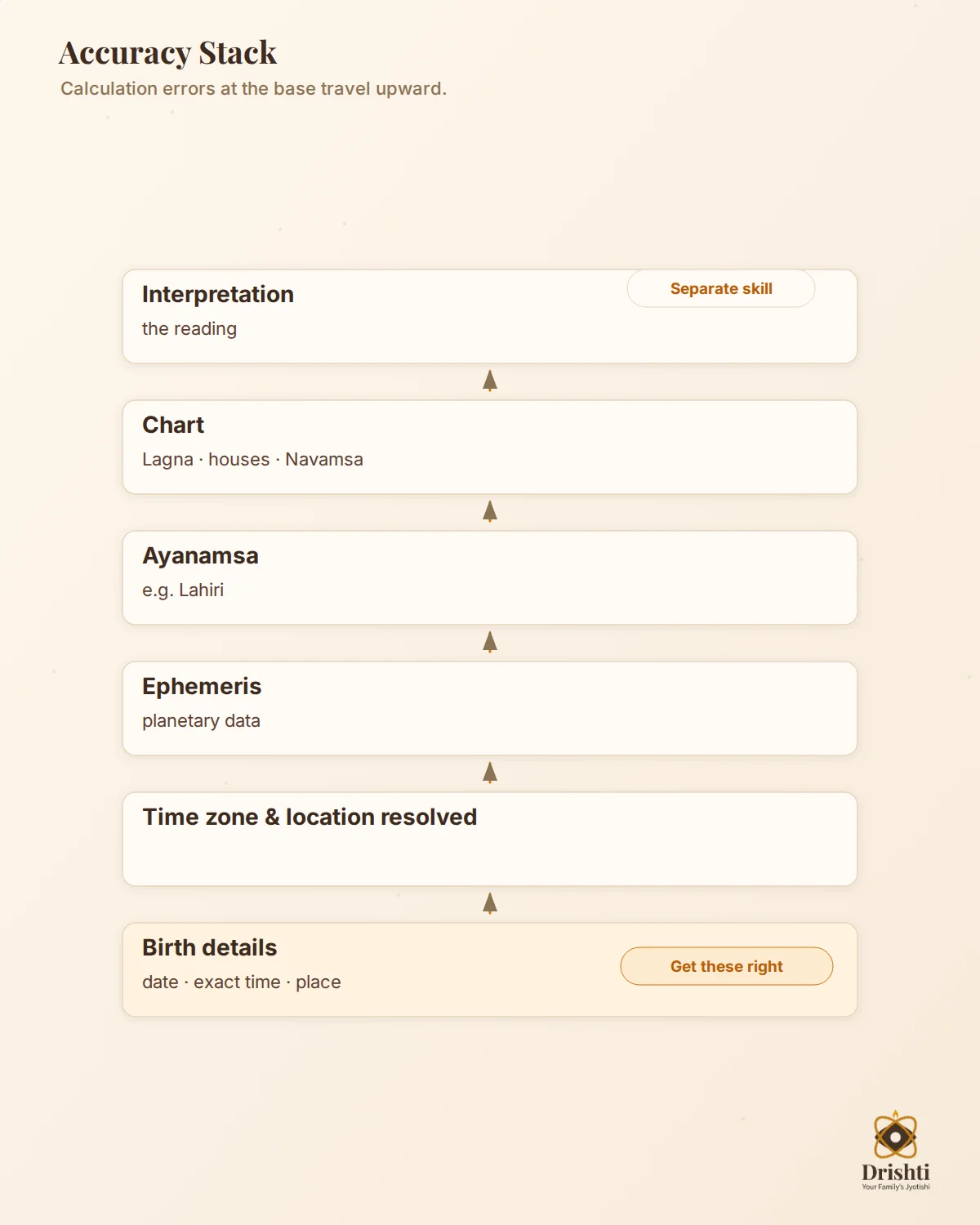
So the honest answer to “which free Kundli app is actually accurate?” is: don’t ask which app, ask which settings. An app is accurate when it uses a reliable ephemeris, the ayanamsa you intend (Lahiri, for most Indian Vedic work), your exact birth time, and the correct place and time zone. Get those four right and two good apps will agree. Get one wrong and even the “best” app will hand you a chart for someone who isn’t you.
I’ve generated the same Janam Kundli across several apps in testing, and the disagreements almost always trace back to a setting or a data-entry gap — not to one app being secretly smarter. Below is how to tell a trustworthy chart from a confident-looking wrong one, and a self-check you can run in ten minutes.
Why two Kundli apps can show different charts
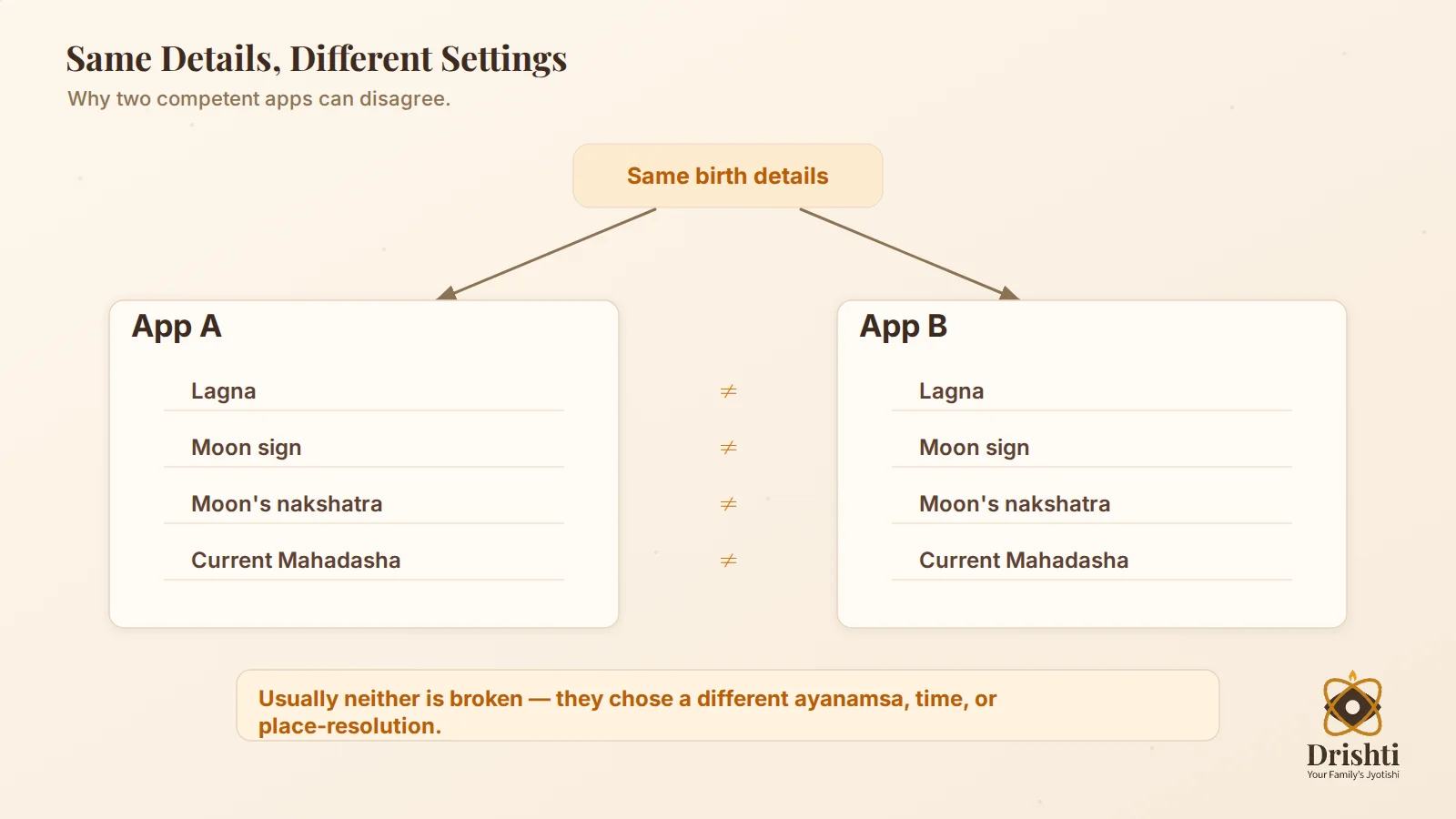
Here is the moment that sends most people looking for answers: you enter the same birth details into two apps and they disagree. Different Lagna. Different Moon nakshatra. A different Mahadasha running right now. It feels like one of them must be broken.
Usually neither is broken. They’re making different choices at four points in the pipeline, and small differences at the start become visible differences on the chart. Understanding those four points is the whole skill. Once you see them, you stop trusting apps blindly and start reading them critically.
Ayanamsa
This is the single biggest reason two Vedic apps disagree. Ayanamsa is the correction that separates the sidereal zodiac (fixed against the stars, used in Jyotish) from the tropical zodiac (tied to the seasons, used in Western astrology). It’s a number of degrees, and it grows slowly over time.
The catch is that there are several ayanamsa systems — Lahiri (also called Chitrapaksha), Raman, Krishnamurti (KP), and others — and they differ by roughly a degree or two. Most Indian apps default to Lahiri ayanamsa, which is the government-recognised standard for Indian Vedic astrology, but not all do, and some let you switch. A degree or two doesn’t sound like much, but if a planet or your Lagna sits near the boundary between two signs or two nakshatras, that small shift can flip it into the next one. Suddenly your Moon sign changes, and every reading built on it changes with it.
If two apps disagree on your Moon sign or nakshatra, check the ayanamsa first. Nine times out of ten they’re simply set to different systems.
Ephemeris
The ephemeris is the table of planetary positions the app reads from — the raw astronomy underneath everything. The quality standard here is the Swiss Ephemeris, a high-precision dataset derived from NASA’s JPL data, and many reputable Kundli tools are built on it or something equivalent. It’s not proprietary magic; it’s shared, published, professional-grade data.
A well-built free app using the Swiss Ephemeris is calculating from the same planetary positions a professional would. A poorly built one using an old, low-resolution, or home-rolled table can drift, especially for the fast-moving Moon and for exact degrees. You rarely see the ephemeris named in the interface, which is exactly why an app that publishes its calculation settings earns more trust than one that just shows you a chart and expects applause.
Birth time and place
This is where the error is almost always yours, not the app’s — and it’s the most consequential of all. The Lagna (Ascendant) moves through the entire zodiac in about 24 hours, which means it changes sign roughly every two hours. A birth time that’s off by even fifteen or twenty minutes can hand you the wrong Lagna, and with it a wrong house structure and a wrong divisional chart.
This is why your birth certificate matters. A remembered “sometime around 5” is not birth-time precision. If your recorded time is genuinely uncertain, no app can rescue you — the honest move is to treat house-based and Lagna-based readings as provisional and lean on the Moon chart, which is more forgiving of small time errors. (For why the Moon chart and nakshatra carry so much weight, see your Moon sign and what it really means and nakshatras explained.)
Place matters too, and in two ways. The app needs your birth city’s correct latitude and longitude — a common town name shared by three districts can silently pick the wrong one — and it needs the correct time zone for that place and date. India is straightforward on the surface (a single IST zone), but births abroad, or historical dates, are where time-zone handling separates a careful app from a sloppy one. Always confirm the app resolved your birthplace to the right coordinates before you trust anything downstream.
House and divisional-chart settings
Even with identical planetary positions, apps can draw the chart differently. North Indian and South Indian chart formats look completely different but carry the same information — that’s presentation, not a disagreement. House systems, though, are a real calculation choice: most Vedic apps use whole-sign houses, but some offer alternatives, and that changes which house a planet is assigned to.
Then there are the Navamsa and the other divisional (varga) charts. These are extra-sensitive to birth time because they magnify a slice of the main chart — a small time error that barely nudges the Rasi chart can noticeably shift the Navamsa. If an app shows deep divisional-chart detail, that’s a feature worth having, but it also raises the stakes on getting your birth time exactly right. Depth is only as trustworthy as the data you feed it.
The free Kundli apps people compare
Rather than crown a winner, here’s an honest map of the free Kundli apps that come up most often, with what each actually is — because half of “which is most accurate” confusion comes from comparing apps that aren’t doing the same job. Pricing below is given as a model (all of these are free to download); none of these are ranked here, and any “#1”-style label is the company’s own marketing, not a fact.
| App (store-accurate name) | What it is | Pricing model | Worth noting |
|---|---|---|---|
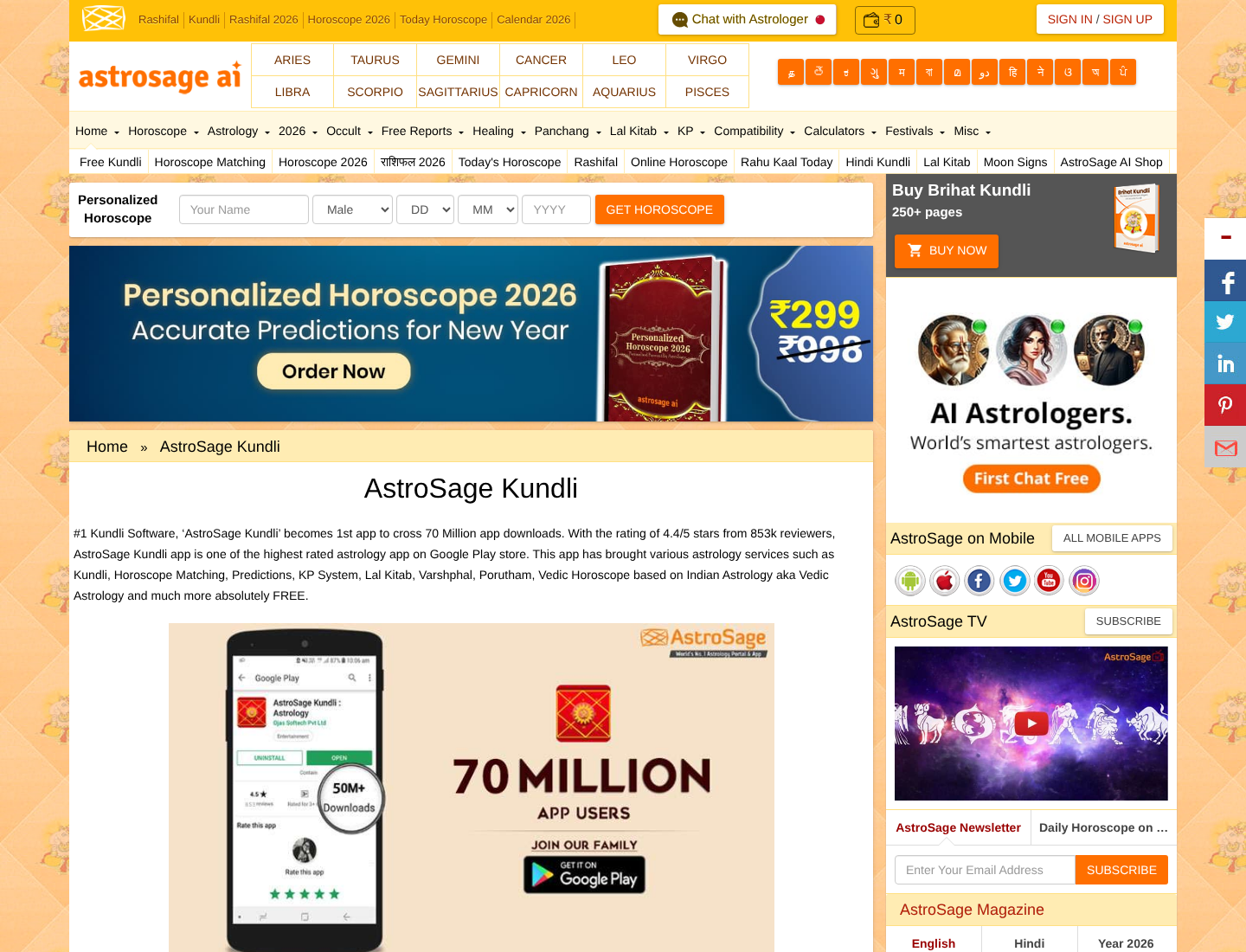
| AstroSage Kundli: AI Astrology | Vedic Kundli, matching, predictions, paid consults | Freemium | Offers multiple ayanamsa options, KP & Lal Kitab, PDF export. Self-describes as “#1 Astrology App” (their claim). |
| Astrotalk – Talk to Astrologer | Consultation marketplace; free Kundli & horoscope included | Free with paid consultations | Chat/call-first product. Homepage claims “India’s most accurate astrology platform” (their claim, not verifiable). |
| Astroyogi (Play) / Astroyogi Chat with Astrologer (App Store) | Kundli + chat/call consults | Freemium | Store names differ by platform. Consultation-led. |
| GaneshaSpeaks Kundli Astrology | Vedic Kundli, horoscopes, live consults | Freemium | Self-describes as “Bharat’s Best Astrology App” (their claim). |
| mPanchang | Hindu calendar + Kundli making & matching | Freemium | Android confirmed; treat iOS availability as unverified. Panchang-first. |
| Co-Star Personalized Astrology | Personalised natal charts + daily horoscopes | Freemium with paid add-ons | ⚠️ Western / tropical, NOT Vedic. Uses NASA ephemeris data but a different zodiac — its “Sun/Moon/Rising” will not match a sidereal Vedic chart, and that’s expected, not an error. |
A few things this table quietly tells you. Most of these are consultation platforms where the free Kundli is a doorway to paid chat — that’s a fine model, but it means the calculation engine isn’t the product, so it’s not always documented. Co-Star is the trap: it’s polished and popular, but it’s Western astrology, so comparing its chart to a Vedic app and concluding one is “wrong” is a category error. And two names you may see in “best Kundli app” lists — TrustAstrology and Astrojyoti — are web platforms, not apps, so they don’t belong in an app comparison at all.
Notice what I’m not doing: I’m not telling you AstroSage is more accurate than mPanchang, or vice versa. I can’t verify each app’s live ephemeris and default settings for you, and neither can a roundup that ranks them by star rating. What I can do is give you a way to check any of them yourself.
Accuracy checklist before you trust a chart
Before you act on any free Kundli — free or paid, this app or that one — run it past these. If an app can’t satisfy the first four, its confidence is decoration.
- Ayanamsa is stated and correct. For Indian Vedic work you almost always want Lahiri. If the app doesn’t tell you which ayanamsa it uses, that’s a mark against its transparency.
- A credible ephemeris underneath. Swiss Ephemeris (or equivalent professional-grade data) is the standard. Apps that name their calculation basis earn trust; apps that hide it ask for blind faith.
- Exact birth time entered from your birth certificate. Not “morning,” not “around 5.” Fifteen minutes can change your Lagna.
- Birthplace resolved to the right coordinates and time zone. Confirm the city the app picked is actually your city, and that the time zone is right for that place and date.
- Chart settings are visible and adjustable. Can you see the house system, the ayanamsa, and the chart format (North/South Indian)? Adjustable settings signal a serious engine.
- Divisional-chart depth, used with humility. Navamsa and other vargas are valuable — but only as trustworthy as your birth-time precision.
- The app shows its reasoning, not just a verdict. A chart that explains why it concludes something is more useful — and more checkable — than one that just declares.
- No fear, no doom, no certainty. Any tool that predicts disaster or speaks in absolutes is selling anxiety, not astrology. Walk away.
How to sanity-check your own Kundli
You don’t need to trust my judgement or anyone’s ranking. Here’s a self-check that takes about ten minutes and tells you more than any “top 10” list. This works because accurate calculation is reproducible: feed the same data to two well-built tools and they should converge.
- Gather your exact birth data. Date, precise time from your birth certificate, and place of birth. Precision here decides everything downstream.
- Generate your Janam Kundli in two reputable apps. Enter identical data in both. Don’t change a thing between them.
- Match both to Lahiri ayanamsa. In each app’s settings, set the ayanamsa to Lahiri (or confirm it’s already the default). This removes the most common source of disagreement.
- Compare four anchors: your Lagna (Ascendant), your Moon sign, your Moon’s nakshatra, and your current Dasha (which Mahadasha is running). These are the load-bearing points. If they agree, the calculations agree.
- If they disagree, inspect the settings, not the stars. Check ayanamsa first, then confirm both resolved your birthplace to the same coordinates and time zone, then re-verify the birth time is entered identically. (Small Moon or nakshatra shifts usually mean an ayanamsa mismatch; a wrong Lagna usually means a birth-time or place error. For what these components mean once they agree, see the parts of a Kundli explained and how to read your Kundli.)
- Only then read the interpretation. Interpretation is a separate skill from calculation — a chart can be calculated perfectly and interpreted poorly, or vice versa. Once the numbers agree across two tools, you can trust the chart underneath and judge the reading on its own merits.
If you want the full technical treatment of why each of these settings moves the chart — ephemeris precision, ayanamsa drift, birth-time rectification — that’s covered in depth in the technical guide to Kundli calculation accuracy.
Where Drishti fits
We built Drishti — “Your Family’s Jyotishi” — around the idea that a chart you can’t check isn’t worth much. The whole point of this article is that accuracy lives in careful calculation and honest transparency, and that’s the posture Drishti is designed around: a calm, trustworthy family astrologer that shows its work, speaks your language, and never traffics in fear.
Concretely, that means accurate Vedic Kundli generation, reasoning you can follow rather than verdicts you’re asked to swallow, and family profiles so one place holds the whole household’s charts — your parents’ and children’s, not just your own. It’s multilingual by intent across Indian languages, with Hindi, Kannada, Tamil, and Telugu as priorities, and it’s privacy-first about the birth data you trust it with.
What Drishti won’t do is what this post warns against: no fear, no doom, no “the stars have terrible news” theatre. Astrology here is decision support, not superstition — a way to think more clearly about your life, not a set of certainties to obey. Use the self-check above on Drishti too. That’s the point: a Kundli you can verify is one you can actually rely on.
FAQ
Are free Kundli apps accurate? They can be. The calculation that produces a birth chart comes from published astronomical data, so a well-built free app can be as accurate as a paid one. What you pay for is consultation and interpretation, not the maths. Accuracy depends on the ephemeris, the ayanamsa, and — most of all — the birth data you enter, not on the price.
Why do two Kundli apps show different results? Usually because they’re making different choices at one of four points: the ayanamsa (different systems shift signs and nakshatras), the ephemeris (different or lower-quality planetary data), the birth time and place (a small time error changes the Lagna; a wrong city changes coordinates and time zone), or house and divisional-chart settings. Match those and two good apps converge.
Which ayanamsa should I use? For Indian Vedic astrology, Lahiri (Chitrapaksha) is the standard and the most common default — it’s the government-recognised system in India. The main thing is consistency: pick one and use it everywhere, and set both apps to it when you compare charts. A different ayanamsa isn’t “wrong,” but it will give you a different chart, and mixing systems is how people confuse themselves.
Does birth time affect Kundli accuracy? Enormously. The Lagna moves through the whole zodiac in about 24 hours, changing sign roughly every two hours, so even a fifteen-minute error can give you the wrong Ascendant and a wrong house structure. Divisional charts like the Navamsa are even more sensitive. Use the exact time from your birth certificate; if it’s uncertain, treat Lagna-based readings as provisional and rely more on the Moon chart.
What should I compare between two apps? Four anchors: your Lagna (Ascendant), your Moon sign, your Moon’s nakshatra, and your current Dasha. Enter identical birth data in both, set both to Lahiri ayanamsa, and check those four. If they match, the calculations agree and you can trust the chart. If they don’t, inspect the settings — ayanamsa, birthplace coordinates, time zone, and birth time — before blaming either app.